MV3A free image-to-prompt extension for Chrome常驻 Chrome 侧边栏的扩展
Any image on the web, turned into a prompt.网页上的每一张图,都能变成提示词。
Snip or save any image you find, and PicPocket breaks it down into subject, style, lighting and composition. Copy one phrase or the whole prompt, then paste it into Midjourney, Flux or Stable Diffusion.看到喜欢的图,框选或一键收进口袋。PicPocket 会把它拆成主体、风格、光影、构图四个维度的提示词,单个短语或整段提示词一点即复制,直接贴进 Midjourney、Flux 或 Stable Diffusion。
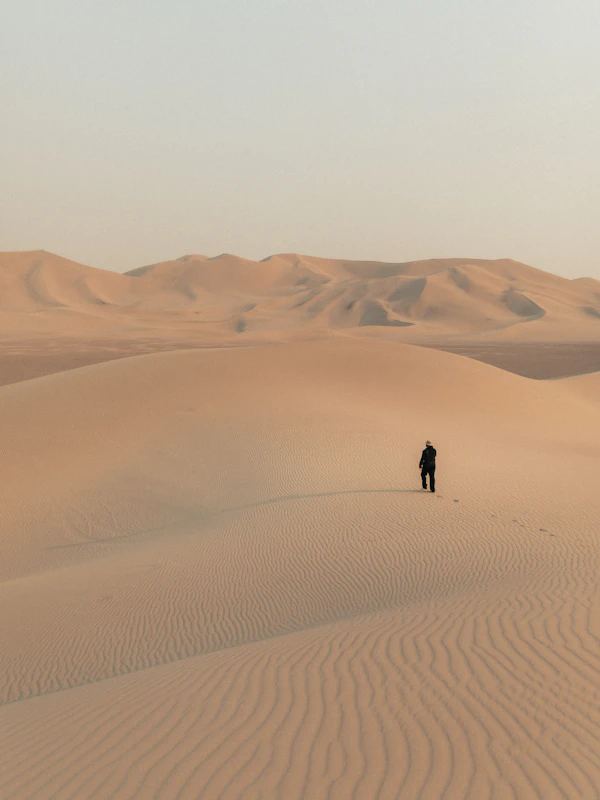
Analyzed已反推Dusk over the dunes沙丘黄昏
Snip · 1024×1280
Subject主体
lone travelersand dune ridge
Style风格
cinematic photographmoody film look
Lighting光影
pink sunset skysoft dusk glow
Composition构图
low anglenegative spacerule of thirds
Master promptCopy复制
A lone traveler standing on a sand dune ridge at dusk, cinematic photograph with a moody film look, pink sunset sky and soft dusk glow, low angle with generous negative space…
Copied to clipboard已复制到剪贴板cinematic photograph
Saved to your pocket已收进口袋Stored locally · IndexedDB本地存储 · IndexedDB
Plain-text prompts that paste straight into纯文本提示词,直接粘贴到
Midjourney
Flux
Stable Diffusion
GPT Image
Grok Imagine
Nano Banana
Features核心功能
From “ooh, nice” to a usable prompt in one click.从“这张图好看”到能用的提示词,只要一步。
No more screenshot, upload, describe, rewrite. PicPocket sits next to the page you're on and does it all in the side panel.不用再截图、上传、让 AI 描述、再手动改词。PicPocket 就在你正在浏览的网页旁边,所有步骤都在侧边栏里完成。
Four-part prompt breakdown四维结构化提示词
A vision model reads the image and splits it into Subject, Style, Lighting and Composition, plus a full master prompt. Each phrase is its own chip: click to copy just that part.视觉大模型读懂图片,拆解为主体、风格、光影、构图四个维度,外加一段完整的 Master Prompt。每个短语都是独立胶囊,点一下只复制那一段。
Subject主体
young womanglowing neon triangle
Style风格
cinematic portraitlow-key studio
Lighting光影
electric blue neonrainbow prism edge
Composition构图
centered symmetryfrontal close-up
Snip any part of a page框选网页任意区域
Drag a box over any part of the page. Crops stay pixel-sharp on Retina screens.按住鼠标拖动,框选网页任意区域。Retina 屏按物理像素无损裁剪。
Drag to select · Enter to capture拖动框选 · 回车采集
Hover to capture悬停一键采集
Hover over an image and a small pill appears. Save it, or save and reverse it straight away. Right-click works too.鼠标悬停在图片上会出现采集胶囊,可以只收藏,也可以收藏并立即反推。右键菜单同样可用。
Save保存Reverse反推
A prompt vault built in内置提示词库
Browse curated open-source prompt libraries, favorite what works, and keep your own drafts in one searchable place.浏览精选开源提示词库,收藏好用的词,把自己的草稿也存在同一个可搜索的地方。
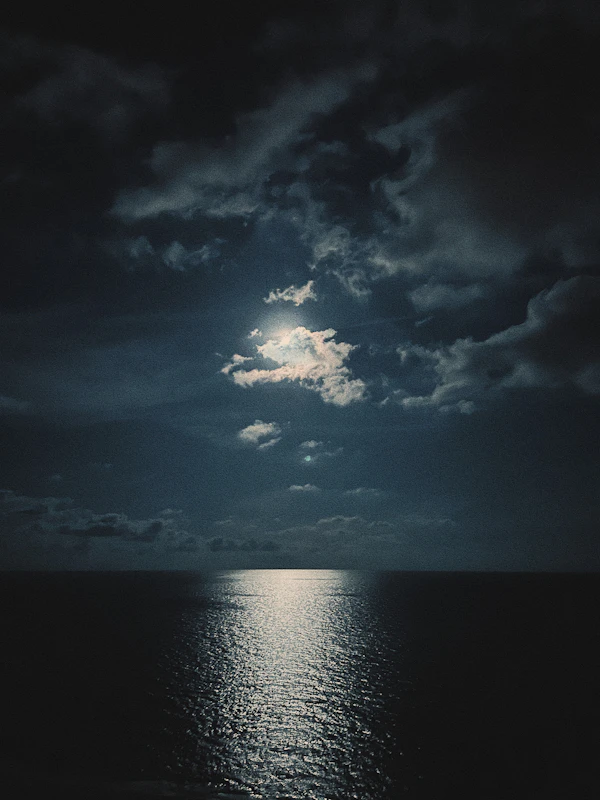
Moonlit tidefull moon over a calm sea, golden path…
gpt-image-2
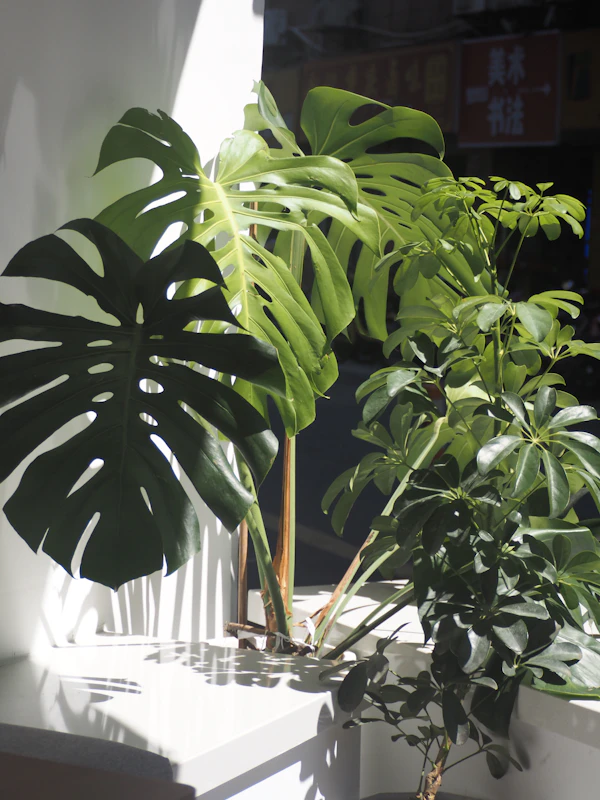
Monstera by the windowbacklit leaves, soft morning light…
Send a reversed prompt to the generator with its reference image and get new images without leaving the page.把反推出的提示词连同参考图一起送进生图台,不离开当前网页就能出图。
A lone traveler on rolling sand dunes at dusk, pink and amber sky, cinematic wide shot
3:4gpt-image-2Generate生成
An infinite canvas for bigger ideas无限画布,放得下更大的想法
Open PicPocket Canvas in a full tab to lay out references, branch prompts into variations and compare results side by side.在整页标签中打开 PicPocket Canvas,铺开参考图、把提示词分支出多个变体,并排对比生成结果。
Reference参考图
full moon over a calm sea, golden moonlight path…
v1
v2
Works with your AI agents与 AI Agent 协作
A local MCP bridge lets Cursor or Claude Code search your pocket, save prompts and generate images. You decide what each agent is allowed to do.通过本地 MCP 桥接,Cursor、Claude Code 可以搜索你的灵感库、保存提示词、触发生图。每个 Agent 能做什么,由你来授权。
● ConnectedCursorClaude Code
→search_prompts_and_assets("dusk, dunes")
↳ 3 assets · 5 prompts
→save_prompt("desert-dusk-v2")
↳ saved to My Vault
→generate_and_save_asset(…)
↳ image saved to Pocket
How it works使用方式
Three steps. No tab‑switching.三步完成,不用切换标签页。
1
Open the side panel打开侧边栏
Pin PicPocket and click its icon. The panel stays open next to whatever you're browsing.固定 PicPocket 并点击图标,侧边栏会一直陪在你正在浏览的网页旁边。
2
Capture what inspires you采集让你心动的画面
Use the hover pill, right-click, or snip a region. Press Enter to confirm or Esc to cancel.用悬停胶囊、右键菜单或框选截图。按 Enter 确认,Esc 取消。
3
Copy, remix, generate复制、改写、生成
Click chips to copy, edit the master prompt, or send it to the generator with the original as reference.点击胶囊即复制,编辑完整提示词,或者带上原图作为参考直接送去生图。
Install安装
Up and running in a few minutes.几分钟,装好就能用。
The Chrome Web Store listing is still in review. Until it's live, build PicPocket from GitHub and load it into Chrome yourself. You'll need Git and Bun.Chrome 应用商店版本仍在审核中。上架之前,可以从 GitHub 构建 PicPocket 并手动加载到 Chrome。需要先安装 Git 和 Bun。
1
Get the code获取代码
Clone the repository, or download it as a ZIP from GitHub.克隆仓库,或在 GitHub 上下载 ZIP 压缩包。
Install dependencies and build. The output goes to dist/chrome-mv3.安装依赖并构建,产物会生成在 dist/chrome-mv3。
$ cd picpocket
$ bun install
$ bun run build
3
Load it in Chrome加载到 Chrome
Open chrome://extensions, turn on Developer mode, click Load unpacked and pick the dist/chrome-mv3 folder.打开 chrome://extensions,开启右上角开发者模式,点击加载已解压的扩展程序,选择 dist/chrome-mv3 文件夹。
→ chrome://extensions
To update later, run git pull and bun run build, then click the reload icon on PicPocket's card in chrome://extensions.之后更新:执行 git pull 与 bun run build,再到 chrome://extensions 中点击 PicPocket 卡片上的刷新按钮。
Local-first本地优先
Your pocket stays on your machine.你的口袋,只留在你的电脑里。
PicPocket has no media server. What you save lives in your browser, and you can delete it any time.PicPocket 没有图床服务器。你收藏的一切都保存在自己的浏览器里,随时可以删除。
For reading images, any OpenAI-compatible vision model works, including providers like OpenAI, DeepSeek, SiliconFlow and StepFun, or a custom endpoint. The prompts it produces are plain text, so you can paste them into Midjourney, Flux, Stable Diffusion or any other image tool.反推图片可以使用任意 OpenAI 兼容的视觉模型,例如 OpenAI、DeepSeek、硅基流动、阶跃星辰,或者自定义接口。生成的提示词是纯文本,可以粘贴到 Midjourney、Flux、Stable Diffusion 等任何生图工具。
Do I need an account?需要注册账号吗?
No. Install the extension, add your own API key in settings, and start capturing. Saving images to your pocket doesn't need a key at all.不需要。安装扩展后在设置中填入自己的 API Key 即可开始使用。单纯收藏图片到口袋完全不需要 Key。
What does it cost?需要付费吗?
The extension is free. When you use your own key, you pay your AI provider directly for the requests you make. Creators and beta testers can also redeem a code for hosted quota; those requests go through PicPocket's server, as the privacy policy explains.扩展本身免费。使用自己的 Key 时,调用费用直接由你和 AI 服务商结算。创作者和内测用户也可以使用兑换码获得托管额度,这类请求会经过 PicPocket 的服务器,详见隐私政策。
Why does Chrome say it can “read and change data on all websites”?为什么 Chrome 提示它能“读取和更改所有网站上的数据”?
That's Chrome's standard wording for extensions that work on any site. PicPocket needs it so the hover pill and snip tool work wherever you find inspiration. It doesn't inject ads, change page content or log where you go.这是 Chrome 对可在任意网站运行的扩展使用的标准提示。PicPocket 需要它,悬停胶囊和框选工具才能在你浏览的任何网站上使用。它不会注入广告、篡改网页内容或记录你的浏览轨迹。
How do I delete my data?如何删除我的数据?
Delete any image, folder or prompt from the side panel. Uninstalling the extension removes everything it stored in your browser.在侧边栏中可以随时删除任意图片、文件夹或提示词。卸载扩展时,浏览器会清除它保存的全部数据。
Start filling your pocket.开始装满你的灵感口袋。
Free to use. Works on any site. Your library stays in your browser.免费使用,任意网站可用,你的灵感库只保存在自己的浏览器里。